
Screen Balance · Ages 2–10 · Healthy Habits
Few things spark more daily friction than screens — the asking, the negotiating, the meltdown when it's time to switch off. A screen time routine chart changes the dynamic completely: instead of screens being a constant negotiation, they become a known, balanced part of the day. Here's a balanced daily rhythm you can copy, plus how to make screen limits genuinely stick.
Why a screen time routine chart helps
The hardest thing about screen time is its open-endedness — when there's no clear plan, every day becomes a fresh negotiation, and "just five more minutes" turns into a battle. A screen time routine chart removes that by making screen time predictable: a clear, agreed slot in the day, with screen-free times equally visible around it. When the plan is set out in advance, your child knows what to expect, and screens stop being something to argue over every single day.
A chart also helps you do the genuinely important thing — ensure screens sit within a balanced day rather than crowding out active play, creativity, outdoor time, and connection. The goal isn't to demonise screens but to keep them in proportion. The chart makes that balance visible and automatic. The strategies below help the limits actually hold without daily conflict.
Free routine chart download
Get the Free Complete Kids Routine Chart Bundle
Includes the guide parents really need — how to get kids to actually follow the chart — plus morning, bedtime, after-school and chore charts, a routine builder worksheet to design your routine first, blank customisable versions, pre-reader picture cards, and travel and weekend troubleshooting.
Download the Free Routine Bundle →A sample balanced daily rhythm
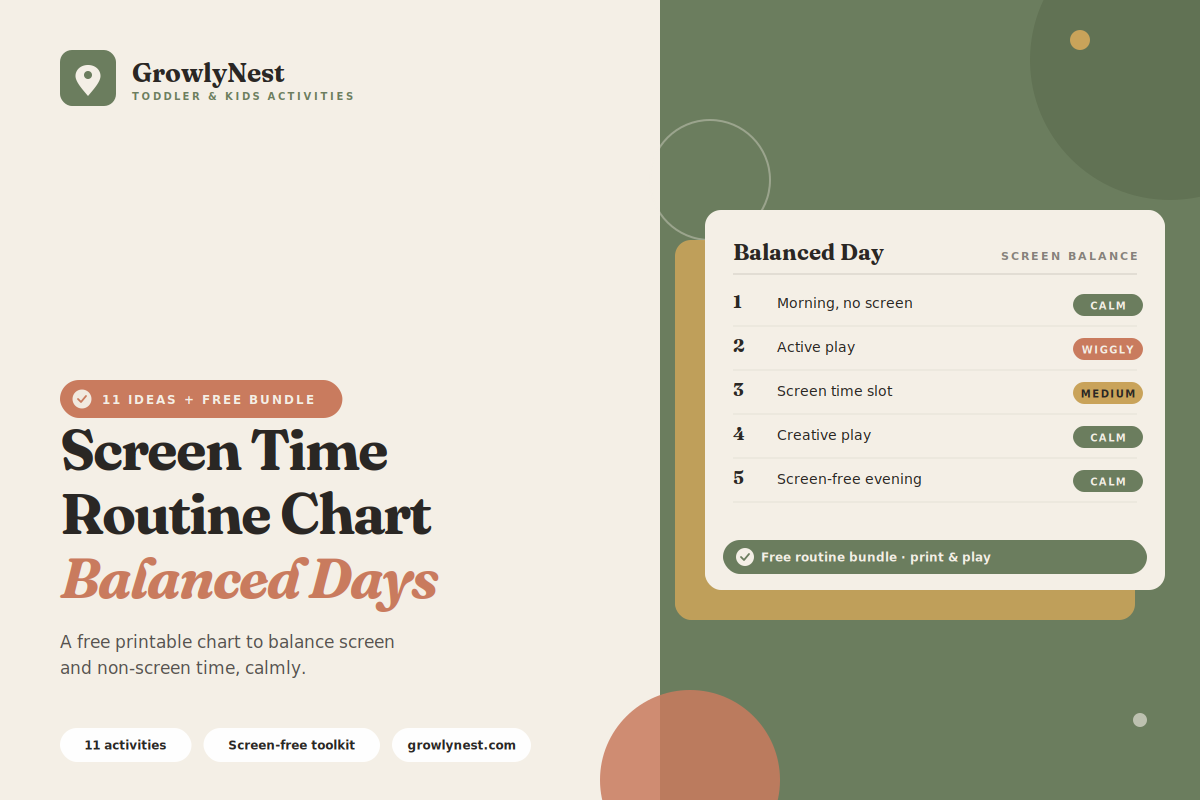
Here is a balanced daily rhythm showing how screen time fits among everything else. Adjust the screen slot to suit your family's values and your child's age.
01. Screen-free morning
Keep the morning — waking, getting ready, breakfast — screen-free. A screen-free start makes the morning routine smoother and sets a calm, focused tone for the day.
02. Active and physical play
A block of active, physical play — outdoors where possible. Movement and active play are essential, and protecting clear time for them keeps screens in proportion.
03. Creative and hands-on activities
A slot for creative, hands-on play — drawing, building, crafts, pretend play. These rich activities build skills screens can't, and deserve a protected place in the day.
04. The screen time slot
A clear, agreed block of screen time at a consistent point in the day. Putting it on the chart makes it a known, predictable part of the routine rather than an endless negotiation.
05. Outdoor time
A dedicated block of outdoor time. Fresh air and nature are vital for children's wellbeing and a healthy counterweight to screen time.
06. Reading and quiet time
A calm slot for books and quiet activities. Quiet, screen-free downtime helps a child rest and regulate, and builds a love of reading.
07. Screen-free evening and wind-down
Keep the hour or so before bed screen-free. Screens close to bedtime make sleep harder, so a screen-free wind-down protects good rest.
Struggling to get your child to follow the chart?
A chart on the wall is the easy part — getting kids to actually follow it is the real struggle. The free Complete Kids Routine Chart Bundle includes the step-by-step guide for exactly that, plus a routine builder worksheet, ready-made charts, pre-reader picture cards, and troubleshooting for travel and weekends.
Get the Free Routine BundleHow to make screen limits actually work
A screen chart only ends the battles if the limits genuinely hold. These strategies make that happen.
08. Agree the plan together in advance
Decide the screen time slot and limits with your child ahead of time, and put them on the chart. A plan agreed in advance is far easier to hold than a limit imposed in the heat of the moment.
09. Give a clear warning before screens end
A few minutes' warning before screen time finishes — and a visible timer if it helps — makes the transition off screens much smoother. Sudden endings cause meltdowns.
10. Let the chart hold the limit
When the requests come, refer to the chart calmly — "the chart shows screen time is later." The chart becomes the neutral authority, so you're not personally fielding the negotiation each time.
11. Plan an appealing next activity
Have something genuinely engaging ready for when screens go off. Transitioning to an inviting activity is far easier than transitioning to nothing.
Tips for healthy screen habits
1. Model your own screen habits
Children notice how the adults around them use screens. Modelling balanced, present screen habits teaches more than any rule.
2. Keep screens out of the bedroom and mealtimes
Protecting bedrooms and mealtimes as screen-free helps sleep and connection, and keeps screens contained to their agreed slot.
3. Choose quality content
What's on the screen matters. Favour age-appropriate, high-quality content, and watch together when you can so screen time can be shared and discussed.
4. Hold the boundary calmly and consistently
When your child tests the screen limit, stay warm but firm — acknowledge the disappointment and return to the chart. Calm consistency is what makes the limit reliable.
Frequently asked questions
How much screen time should a child have?
Guidance varies by age, and families weigh it differently — major health bodies suggest keeping screen time limited and prioritising sleep, activity, and play. Decide a limit that fits your family's values and your child's age, then make it consistent and visible on the chart.
How do I stop screen time battles?
Give screen time a clear, agreed slot on the chart so it's predictable rather than negotiated daily. Warn before it ends, let the chart hold the limit, and have an appealing activity ready for the transition off screens.
My child melts down when screen time ends. What helps?
Sudden endings are hard for children. Give a few minutes' warning, use a visible timer, and plan an engaging next activity so the transition is to something inviting rather than to nothing.
Should mornings and evenings be screen-free?
Many families find a screen-free morning makes the getting-ready routine smoother, and a screen-free hour before bed supports better sleep. Building those screen-free windows into the chart helps a great deal.
Is screen time bad for children?
Screens aren't inherently bad — the key is balance and proportion. A screen time chart helps ensure screens sit within a full day of active play, creativity, outdoor time, and connection, rather than crowding them out.
The Complete Kids Routine Chart Bundle
A routine that actually sticks
Everything in one free download: the guide to getting kids to actually follow the chart, morning, bedtime, after-school and chore charts, a routine builder worksheet to design your routine first, blank customisable versions, pre-reader picture cards, and troubleshooting for travel and weekends.
Download the Free Routine Bundle →Free forever · No spam · Unsubscribe any time
From the GrowlyNest family — helping you build calm, predictable routines your children genuinely follow.
You're getting — completely free
The Complete Kids Routine Chart Bundle
Here's how to get it
It arrives in 1–2 minutes — check your inbox now.
If you don't see the "Gift File" check your Promotions or Spam folder. Drag it to your main inbox so future emails reach you.
Loading Viewer...